

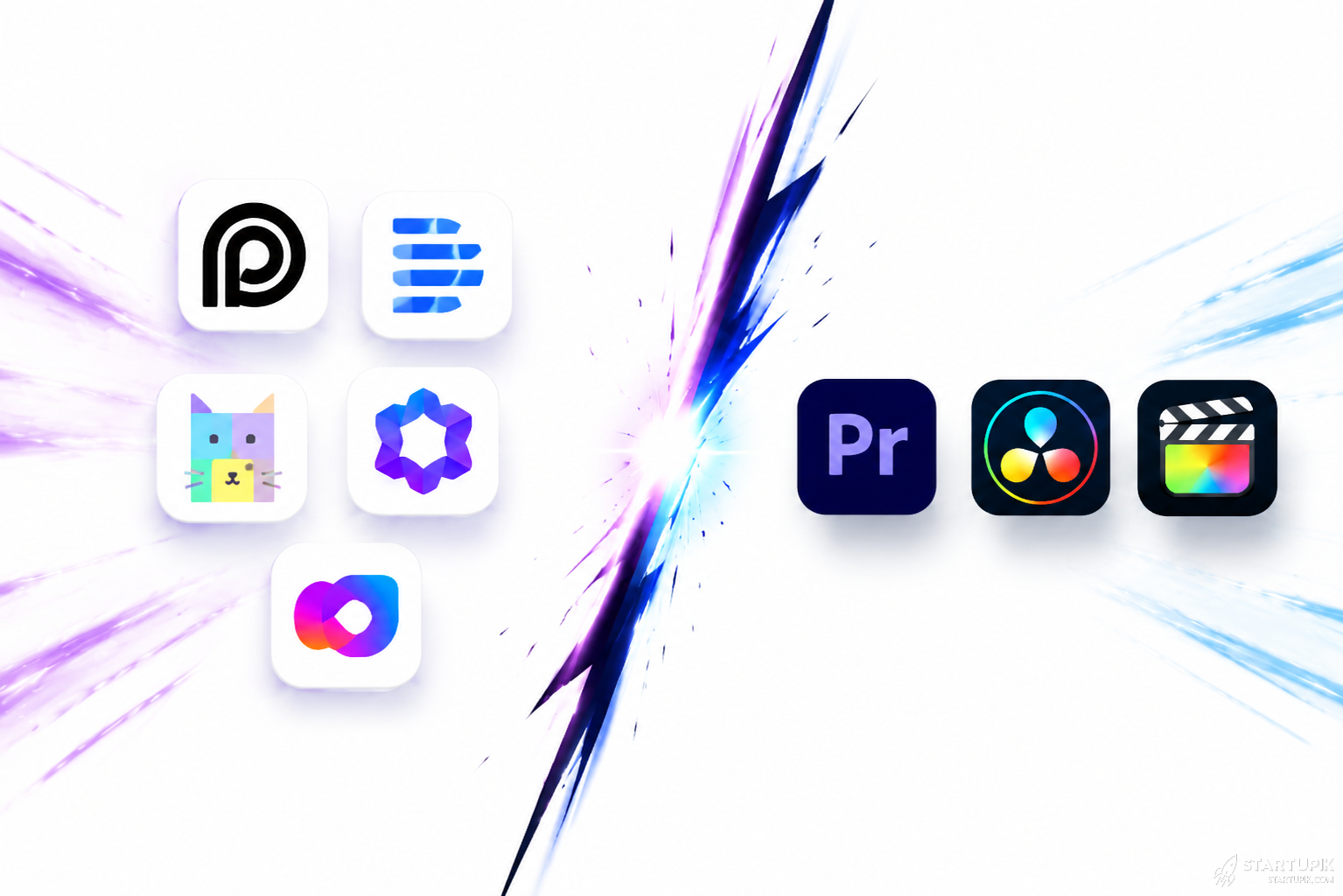
AI video tools and traditional video editing solve different problems. In 2026, AI tools are better for speed, volume, repurposing, and low-cost content production. Traditional editors are still better when brand control, storytelling precision, complex motion work, or high-stakes commercial output matter.
Quick Answer
- AI video tools are best for fast production, short-form content, subtitles, clipping, avatars, and template-based edits.
- Traditional video editing is better for custom storytelling, cinematic control, advanced color grading, sound design, and frame-level precision.
- AI tools usually reduce production time from hours to minutes for social content and internal marketing assets.
- Traditional workflows are more reliable for premium ads, documentaries, product launches, and complex branded campaigns.
- Copyright, training data, voice cloning, and commercial usage rights must be checked before using AI-generated outputs at scale.
- The best setup for most startups right now is hybrid: AI for first-pass production, humans for review, polish, and brand protection.
Quick Verdict
If your goal is speed, volume, and lower production cost, AI video tools usually win. If your goal is precision, originality, and premium brand output, traditional video editing still wins.
For most startups, the real choice is not one vs the other. It is which parts of the workflow should be automated and which parts should stay human-led.
AI Video Tools vs Traditional Video Editing: Comparison Table
| Factor | AI Video Tools | Traditional Video Editing |
|---|---|---|
| Speed | Very fast for clipping, captions, templates, avatars, repurposing | Slower, especially for manual editing and revisions |
| Creative control | Limited by prompts, templates, and model behavior | High control at scene, frame, audio, and effects level |
| Output consistency | Good for repeatable formats | Better for custom brand storytelling |
| Learning curve | Low to medium | Medium to high for tools like Adobe Premiere Pro, DaVinci Resolve, Final Cut Pro |
| Best content type | Social clips, explainers, training videos, UGC-style ads, avatar videos | Commercials, launch films, documentaries, polished YouTube episodes |
| Team requirements | Solo marketers and lean teams can use it | Often needs skilled editors, motion designers, or agencies |
| Cost structure | Subscription-based, lower upfront cost | Software plus labor cost can be higher |
| Brand safety | Riskier if outputs are not reviewed carefully | More predictable with expert editors |
| Copyright and usage clarity | Varies by tool and asset source | Usually clearer when using licensed or original footage |
| Scale | Excellent for producing many variations quickly | Harder to scale without more people |
What AI Video Tools Actually Do Well
1. Repurposing long-form content
Tools like Opus Clip, Descript, and Kapwing are strong at turning webinars, podcasts, demos, and interviews into short clips.
This works well for SaaS founders, creators, and B2B teams posting on LinkedIn, X, YouTube Shorts, Instagram Reels, and TikTok.
2. Fast social content production
AI video apps can generate subtitles, remove silences, resize for vertical formats, create B-roll suggestions, and auto-highlight key moments.
This is useful when a growth team needs 20 content assets per week, not one polished brand film per month.
3. Avatar and synthetic presenter videos
Platforms like Synthesia, HeyGen, and Colossyan help companies create onboarding videos, product explainers, and internal training without filming a real person every time.
This is especially effective for multilingual education, support, and internal operations content.
4. Low-friction experimentation
AI tools are useful when teams want to test hooks, ad variations, messaging angles, or product narratives before spending on full production.
In startup terms, they reduce creative testing cost.
Where Traditional Video Editing Still Wins
1. Storytelling and emotional pacing
Traditional editors working in Adobe Premiere Pro, DaVinci Resolve, or Final Cut Pro can shape narrative tension, pauses, cuts, color, sound, and visual rhythm with far more precision.
AI still struggles when the goal is not just speed but intentional emotional impact.
2. Brand-sensitive campaigns
When a fintech startup launches a new product, raises a Series A, or runs a national campaign, sloppy transitions, wrong visual emphasis, or unnatural voice delivery can hurt trust.
That is where traditional editing performs better. The margin for error is smaller.
3. Complex post-production
Multi-camera editing, advanced motion graphics, custom animation, color pipelines, audio mastering, VFX, and precise timeline work are still stronger in traditional setups.
AI can assist parts of this workflow, but it does not replace a skilled editor in high-complexity projects.
4. Predictability under revision pressure
Founders often underestimate this: AI is fast on version one, but can become slower than manual editing when revision requirements become highly specific.
If a CMO wants exact timing, exact shot replacement, exact on-screen hierarchy, and strict brand compliance, traditional editing tools are more dependable.
Key Differences That Matter for Startups
Speed vs control
AI video tools optimize for speed. Traditional editing optimizes for control.
If your content strategy is built on frequency, AI helps. If your business depends on trust-heavy communication, control matters more.
Scale vs originality
AI helps create more videos with fewer people. That matters for startups with small teams and aggressive distribution goals.
But high-volume AI content can start to look generic. Recently, audiences have become better at spotting template-driven content.
Lower labor cost vs hidden review cost
AI often reduces editing labor. But many teams forget the new cost: review time.
Someone still needs to check for incorrect captions, off-brand visuals, awkward cuts, legal issues, and synthetic voice problems.
Template efficiency vs brand sameness
AI video tools work best when content follows a repeatable format. That is why they fit sales enablement, training, FAQs, internal comms, and short-form distribution.
They fail when every video needs a distinct creative point of view.
When AI Video Tools Work Best
- Content marketing teams producing clips from podcasts, webinars, or founder interviews
- B2B SaaS startups making onboarding and product education videos
- Lean growth teams testing ad creatives quickly
- Global teams needing voiceover, translation, or multilingual presenter videos
- Agencies offering lower-cost recurring content packages
- Sales teams creating personalized video outreach at scale
Why it works
These use cases have one thing in common: repeatable production logic. The workflow is structured enough for automation to save time without damaging quality too much.
When AI Video Tools Fail
- Premium brand campaigns where every visual detail matters
- Investor-facing launch videos where polish signals competence
- Emotion-led storytelling that depends on subtle pacing
- Regulated industries where claims, disclosures, or visual accuracy matter
- Highly specific revisions that break template-based workflows
- Custom animation-heavy projects with layered post-production needs
Why it fails
AI breaks when the job requires taste, precision, and accountability, not just generation. The more specific the creative brief, the more manual control becomes valuable.
Commercial Usage, Copyright, and Risk
This matters more in 2026 than many teams expected.
AI video tools can include generated avatars, cloned voices, stock libraries, licensed music, or model-generated visuals. Each of those may have different commercial usage rules.
What to check before using AI output commercially
- Commercial usage rights for generated videos, voiceovers, and avatars
- Stock media licensing terms inside the platform
- Voice cloning consent requirements
- Indemnity coverage, if any, for enterprise plans
- Data handling policies if uploading customer calls, webinars, or internal footage
- Training and model usage terms for uploaded brand assets
For legal, fintech, health, and enterprise SaaS teams, AI-generated video should go through a human review and approval layer.
Pricing Trade-Offs
AI video tools often look cheaper, and for many use cases they are. But the economics depend on what you are replacing.
AI tools are cost-effective when:
- You replace repetitive editing tasks
- You need many content variations
- You do not need an editor for every output
- You can use templates repeatedly
Traditional editing is worth the higher cost when:
- The video directly affects conversions, fundraising, or brand trust
- You need premium visual differentiation
- One high-quality asset matters more than 50 average ones
- Your revision cycle is complex and stakeholder-heavy
A startup should not ask only, “Which is cheaper?” The better question is: Which workflow creates the best ROI per video type?
Best Use Case-Based Decision
| Use Case | Better Choice | Why |
|---|---|---|
| Podcast clips for social | AI video tools | Fast clipping, captions, reframing, volume production |
| Internal training videos | AI video tools | Templates, avatars, multilingual delivery |
| Product launch film | Traditional editing | Higher brand and narrative control |
| UGC-style ad testing | AI video tools | Rapid iteration and creative testing |
| Documentary or founder story | Traditional editing | Pacing, emotion, and story architecture matter more |
| Sales outreach personalization | AI video tools | Scale and time savings |
| High-budget brand campaign | Traditional editing | Polish and custom creative execution |
| Explainer videos for feature updates | Hybrid | AI for first draft, human for final polish |
Hybrid Workflow: The Best Setup for Most Teams
The smartest teams right now do not fully replace editors. They change the editor’s job.
Example startup workflow
- Record webinar, podcast, demo, or screen walkthrough
- Use Descript or Kapwing for transcript-based editing
- Use Opus Clip for short-form extraction
- Use HeyGen or Synthesia for localization or presenter-led variations
- Move priority assets into Premiere Pro or DaVinci Resolve for final polish
- Run brand, legal, and messaging review before publishing
This hybrid model works because AI handles production throughput while humans handle judgment.
Pros and Cons
AI Video Tools: Pros
- Fast output
- Lower production cost for repeatable content
- Easier for non-editors
- Good for multilingual and scaled content
- Useful for testing many content variations
AI Video Tools: Cons
- Lower creative control
- Outputs can feel generic
- Caption, timing, and context errors still happen
- Commercial rights and copyright terms vary
- Weak fit for premium storytelling
Traditional Video Editing: Pros
- Maximum control
- Better for storytelling and brand differentiation
- Stronger for complex projects
- More predictable in detailed revisions
- Better fit for premium commercial output
Traditional Video Editing: Cons
- Slower production cycle
- Higher labor cost
- Requires more skill
- Harder to scale content volume quickly
- Less accessible for small non-creative teams
Expert Insight: Ali Hajimohamadi
Most founders compare AI video tools to editors and ask which one is “better.” That is the wrong decision frame.
The real question is which videos are assets and which are inventory. Assets deserve traditional editing because they compound brand trust over time. Inventory should be automated because its job is distribution, not craftsmanship.
The mistake I see most often is teams using AI for flagship content and humans for disposable content. That is backwards.
Use your best human editing where reputation is on the line. Automate the rest.
How to Choose the Right Approach
Choose AI video tools if you need:
- Speed over perfection
- High-volume content
- Short-form repurposing
- Low-cost production
- Multilingual scaling
Choose traditional editing if you need:
- Premium brand execution
- Complex narrative structure
- Detailed stakeholder revisions
- Motion, color, and audio precision
- Maximum originality
Choose a hybrid workflow if you need:
- Both speed and quality
- Scalable content operations
- AI-assisted drafts with human QA
- Better ROI across different video types
FAQ
Are AI video tools replacing traditional video editors?
No. They are replacing some repetitive editing tasks, not the full role. Editors still matter for narrative, polish, revision control, and high-stakes commercial output.
Are AI video tools good enough for professional use?
Yes, for many workflows. They are already useful for social media clips, training content, explainers, localization, and ad testing. They are less reliable for premium campaigns where every detail matters.
Which is cheaper: AI video tools or traditional editing?
AI video tools are usually cheaper for repeatable content at scale. Traditional editing can be more cost-effective when one polished video drives more revenue than many average videos.
What are the biggest risks of using AI video tools?
The main risks are copyright ambiguity, poor output quality, off-brand results, incorrect captions, synthetic voice issues, and overproducing generic content that does not differentiate the brand.
Can startups rely only on AI video tools?
Some can, especially early-stage teams focused on content volume and fast iteration. But once brand perception, enterprise sales, or fundraising becomes important, human review usually becomes necessary.
What is the best AI video tool category for startups?
Transcript-based editors, clipping tools, subtitle tools, and avatar video platforms tend to deliver the fastest ROI. The exact choice depends on whether your workflow is podcast repurposing, product education, or multilingual communication.
Is a hybrid workflow really better?
For most teams, yes. AI accelerates production, while traditional editing protects quality. This balance is usually better than going fully manual or fully automated.
Final Summary
AI video tools are best for speed, scale, and repeatable content workflows. Traditional video editing is best for quality, control, and differentiated storytelling.
In 2026, the winning strategy for most startups is not choosing one side. It is separating high-volume content operations from high-value brand storytelling.
Use AI for repurposing, localization, clipping, subtitles, and first drafts. Use traditional editing for launch videos, premium ads, investor-facing assets, and anything that shapes trust.
If the content is disposable, automate it. If it represents the brand at its most visible moment, edit it like it matters.


