

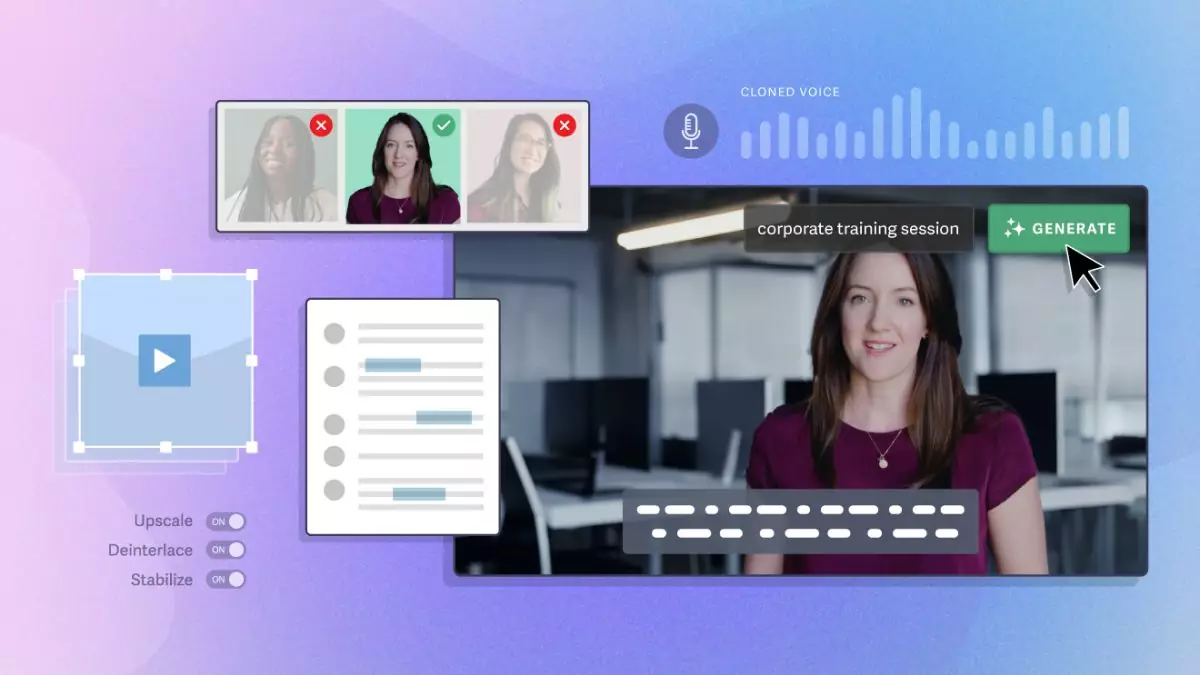
AI video generators have gone from novelty to workflow staple almost overnight. In 2026, the tools blowing up right now are not just making clips faster—they’re changing how startups, creators, agencies, and ecommerce teams produce content at scale.
The surge is not random. Better motion realism, faster prompt-to-video output, AI avatars that look less robotic, and short-form platform demand have all collided at the same time. That’s why certain tools are suddenly everywhere.
Quick Answer
- Runway, Pika, Synthesia, HeyGen, Kling, and Luma are among the AI video generator tools getting the most attention right now.
- Text-to-video tools are trending because they reduce production time for ads, explainers, social clips, and product demos from days to hours.
- Avatar-based platforms like Synthesia and HeyGen work best for training, corporate communication, and multilingual presentation videos.
- Cinematic generation tools like Runway, Kling, Pika, and Luma are gaining traction for creative storytelling, concept visuals, and social media campaigns.
- The biggest trade-off is control: AI video is fast, but consistency, realism, and brand accuracy still break down in complex scenes.
- Best choice depends on use case: marketing teams need editing and branding controls, while creators often prioritize speed, motion quality, and visual style.
What It Is / Core Explanation
AI video generator tools create video from prompts, scripts, images, product shots, or recorded audio. Some generate full scenes from text. Others turn a written script into an avatar-led presentation. A few do both.
The category is now split into two clear lanes. First, creative generation tools for cinematic clips, B-roll, and social visuals. Second, structured business video tools for training, sales, support, onboarding, and internal communication.
That distinction matters. A founder making a product launch teaser needs a very different tool than an HR team creating onboarding videos in six languages.
Why It’s Trending
The hype is not just about “AI can make videos now.” The real reason these tools are blowing up is that they solve an expensive bottleneck: video production used to require time, people, revisions, and budget all at once.
Now a solo creator can test five ad concepts in one afternoon. A SaaS team can localize training content without booking new shoots. An ecommerce brand can turn static product images into motion assets for TikTok and Reels.
Another driver is platform pressure. Short-form channels reward volume, speed, and iteration. The brands winning right now are not always the ones with the biggest production team. They’re often the ones testing the most creative angles fastest.
There’s also a second-order trend: AI video is becoming a decision-making tool, not just a production tool. Teams use it to validate hooks, narratives, and ad concepts before spending on full shoots.
That’s where the value gets more strategic. AI video works best when used early in the content pipeline, not only at the end.
AI Video Generator Tools That Are Blowing Up Right Now
Runway
Runway remains one of the most recognized names in AI video generation because it combines text-to-video, image-to-video, editing, motion control, and post-production features in one ecosystem.
Why it works: It gives creative teams more control than many prompt-only tools. You can generate footage, extend scenes, remove backgrounds, and refine outputs without leaving the platform.
When it works: Great for ad concepts, music visuals, fashion campaigns, mood-driven short videos, and prototype storytelling.
When it fails: If you need frame-perfect consistency across many scenes or highly realistic human movement, results can still drift.
Pika
Pika has gained momentum because it makes AI video feel accessible. It is fast, visually playful, and especially popular with creators experimenting with short-form content and stylized outputs.
Why it works: It lowers the friction between idea and publishable clip. That makes it attractive for creators who care more about speed and trend response than production perfection.
When it works: Social posts, meme content, teaser visuals, lightweight brand storytelling, and animated concept clips.
When it fails: Long-form narrative coherence and precise brand-specific output can be inconsistent.
Synthesia
Synthesia dominates the avatar-led business video segment. It is not built for cinematic art pieces. It is built for structured communication at scale.
Why it works: You can turn a script into a polished presenter-led video in minutes, with multiple languages and consistent formatting.
When it works: Employee onboarding, compliance training, product walkthroughs, internal updates, sales enablement, and support content.
When it fails: It can feel too formal or too templated for brands trying to look original, emotional, or highly creative.
HeyGen
HeyGen has grown quickly by making AI avatars, voice cloning, and translation more practical for marketers and business teams. It sits in a strong middle ground between ease of use and polished output.
Why it works: It is strong for personalized outreach, talking-head style explainers, and multilingual communication without reshoots.
When it works: Sales prospecting videos, founder messages, landing page explainers, customer success content, and international campaigns.
When it fails: If the script is weak, the output still feels synthetic. AI avatars do not fix bad messaging.
Kling
Kling has attracted attention because of its more ambitious visual generation and stronger realism in motion compared with many earlier AI video tools.
Why it works: It appeals to users chasing cinematic feel, scene depth, and more natural movement.
When it works: Story-driven clips, concept trailers, social campaigns with high visual ambition, and experimental branded content.
When it fails: Access, speed, and workflow friction can still be issues depending on region and demand. It is impressive, but not always the most practical daily production tool.
Luma
Luma has become increasingly relevant for users who want photorealistic-looking motion and more advanced scene generation. It is often part of a creative stack rather than the only tool used.
Why it works: It can produce visually strong clips that feel more premium than template-driven outputs.
When it works: Product visuals, campaign prototypes, creative direction testing, and atmospheric short-form video.
When it fails: Like many generation-first tools, consistency across a full multi-scene narrative remains a challenge.
InVideo AI
InVideo AI is blowing up with marketers who need speed over cinematic originality. It turns prompts into structured videos using stock footage, voiceover, scenes, and editable layouts.
Why it works: It is practical for content operations teams, especially when the goal is output volume.
When it works: Listicle videos, YouTube explainers, repurposed blog content, product promos, and social video drafts.
When it fails: Videos can look formulaic if teams rely too heavily on default structure and stock-heavy visuals.
Real Use Cases
Startup launch campaigns: A seed-stage SaaS company can create three versions of a launch teaser with Runway or Luma before spending on a production team. That helps test messaging and visual direction early.
Ecommerce ads: A skincare brand can feed product images into an AI video workflow and generate short vertical ads for TikTok, Instagram Reels, and paid social. This works best when testing multiple hooks around one product.
Sales outreach: A B2B team can use HeyGen to send personalized video intros at scale. The real value is not novelty—it is reducing production friction while keeping outreach more human than plain text email.
Training and onboarding: A company with global staff can use Synthesia to turn internal documentation into training videos in multiple languages. This works especially well for standardized material that changes often.
Creator content: A solo creator can use Pika or Runway to generate visual hooks for trend-based videos, especially when speed matters more than polish.
Agency concept pitching: Creative agencies are using AI video to mock up campaign ideas before client approval. It is faster to sell a motion concept when the client can see it, not just imagine it.
Pros & Strengths
- Faster production cycles for social content, ads, and internal videos.
- Lower upfront cost than traditional filming for many use cases.
- Rapid concept testing before committing to full production.
- Multilingual scaling for training, support, and global marketing.
- Accessible for non-editors who need publishable video output.
- Useful for content repurposing from blogs, scripts, decks, and product pages.
- High output volume for teams operating across multiple channels.
Limitations & Concerns
The biggest mistake is assuming AI video replaces traditional production across the board. It does not.
- Scene consistency breaks across longer narratives or repeated characters.
- Human realism still has edge cases, especially hands, motion, expressions, and interactions.
- Brand accuracy can drift if prompts are vague or visual controls are limited.
- Template fatigue is real in avatar videos and stock-based generators.
- Legal and ethical issues matter when using likenesses, cloned voices, or unclear training sources.
- Editing is still required for serious commercial work. AI reduces production time, but rarely removes revision work.
There is also a hidden trade-off: speed can increase volume while lowering distinctiveness. If everyone uses the same prompts, styles, and templates, content starts to feel interchangeable.
Comparison or Alternatives
| Tool | Best For | Main Strength | Main Weakness |
|---|---|---|---|
| Runway | Creative teams | Generation plus editing workflow | Can require iteration for consistency |
| Pika | Creators and social content | Fast, easy experimentation | Less control for brand precision |
| Synthesia | Corporate and training videos | Scalable avatar-led communication | Can feel templated |
| HeyGen | Marketing and sales videos | Personalization and translation | Script quality heavily affects output |
| Kling | Cinematic generation | Strong visual realism | Workflow practicality varies |
| Luma | High-end concept visuals | Premium-looking motion | Narrative consistency challenges |
| InVideo AI | Marketing volume content | Fast structured output | Can look generic |
Should You Use It?
You should use AI video generators if:
- You need faster content testing.
- You publish on short-form channels frequently.
- You create training or explainer videos at scale.
- You want to validate concepts before paying for production.
- You operate with a lean team and need output leverage.
You should avoid relying on them as your only option if:
- Your brand depends on highly original visual identity.
- You need emotionally nuanced storytelling.
- You require legal certainty around likeness, rights, or IP.
- You are producing premium campaigns where detail control matters.
The smartest approach for most teams is hybrid. Use AI video for drafts, iterations, variants, localization, and speed. Use traditional production when brand trust, narrative precision, or emotional depth matters more.
FAQ
What is the best AI video generator right now?
It depends on the job. Runway is strong for creative workflows, Synthesia for business videos, HeyGen for avatar-based marketing, and Pika for fast social experimentation.
Are AI video generators good enough for paid ads?
Yes, especially for concept testing and short-form ads. But top-performing campaigns usually still need human editing, brand control, and stronger creative direction.
Which AI video tool is best for training videos?
Synthesia is one of the strongest options for structured training, onboarding, and multilingual internal content.
Can AI video replace video editors?
No. It shifts their role. Editors spend less time assembling basic footage and more time refining pacing, consistency, brand quality, and story clarity.
Why do some AI videos still look fake?
Because motion coherence, facial realism, object interaction, and long-scene consistency are still difficult problems. The tools are improving fast, but they are not flawless.
What is the biggest risk of using AI video?
The biggest practical risk is publishing fast but forgettable content. The biggest strategic risk is losing brand distinctiveness by leaning too heavily on default AI styles.
Are free AI video generators worth using?
They can be useful for testing, but free tiers often limit quality, speed, export options, or commercial usability. Serious teams usually outgrow them quickly.
Expert Insight: Ali Hajimohamadi
Most people think AI video wins because it is cheaper. That is only partly true. The deeper advantage is that it changes how fast a team can learn. Brands are no longer just producing videos faster—they are discovering winning narratives faster.
The mistake is using AI video to mass-produce average content. That creates noise, not leverage. The teams that win will use these tools for testing, feedback loops, and concept validation, then invest human creativity where differentiation actually matters.
In other words, AI video is not a production shortcut. It is a strategy amplifier.
Final Thoughts
- Runway, Pika, Synthesia, HeyGen, Kling, and Luma are leading the current wave for different reasons.
- The real trend is not automation alone—it is faster creative iteration.
- Avatar tools win in business communication, not cinematic storytelling.
- Creative generators shine in early-stage concepting and short-form campaigns.
- The biggest limitation is still consistency, especially in longer or more complex videos.
- The best results come from hybrid workflows, not full AI dependence.
- Teams using AI video strategically will outperform teams using it only for volume.

